
The Settings Submenu will be displayed if you press  /
/  or point at the Settings option on the main menu and press the left mouse key. The Settings Submenu looks like this:
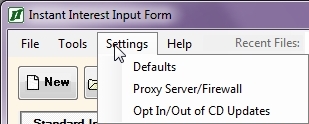
The Settings Submenu is used to change basic user setup preferences. Settings Submenu options are:
Defaults To change the values in the II.INI file which determine file locations and default values at startup time. Proxy Server/Firewall To specify proxy server/firewall credentials for the Internet Update if the user’s default network credentials do not work. Opt In/Out of CD Updates Allows users to specify whether or not they want to receive quarterly updates via CD or only use the Internet Update feature.